Every agency profit margin calculator has the same weakness: it will happily produce a confident-looking answer from bad numbers.
Enter an optimistic hours estimate, forget overhead in your hourly cost and ignore your own review time, and you’ll get a beautiful margin figure that has nothing to do with reality. Then you’ll make decisions on it, such as hiring, outsourcing, pricing or turning down work, and those decisions will inherit the error.
This guide is about avoiding that. It’s a practical walkthrough of how to use an agency profit margin calculator properly: what to enter in each field, where people go wrong, how to read the results, how to stress-test them and what to do next. We’ll use our own agency calculator as the working example, because it’s the one we know best, but the principles apply to any similar tool or spreadsheet.
If you want a free, quick explanation of what the tool is first, start with Try the Agency Profit Margin Calculator: See Your Numbers in Minutes. If you want the underlying formula, see How to Calculate Your Agency’s Profit Margin. This post focuses on the use of the tool, not the theory.
Before You Open the Calculator: Gather Four Things
Five minutes of preparation will improve your results more than any feature of the tool. Gather:
- The price of one typical project. Look at the actual invoice, not your rate card.
- The time sheet or estimate for that project. If you don’t track time, use your best honest estimate and note how unsure you are.
- Your team’s cost. Salaries, employer taxes, benefits, software and equipment.
- Your monthly volume. How many projects like this you complete in a typical month.
If you can’t find one of these, that’s useful information in itself. Not knowing your hours or true cost is the most common reason agencies mis-price.
Walking Through Each Input
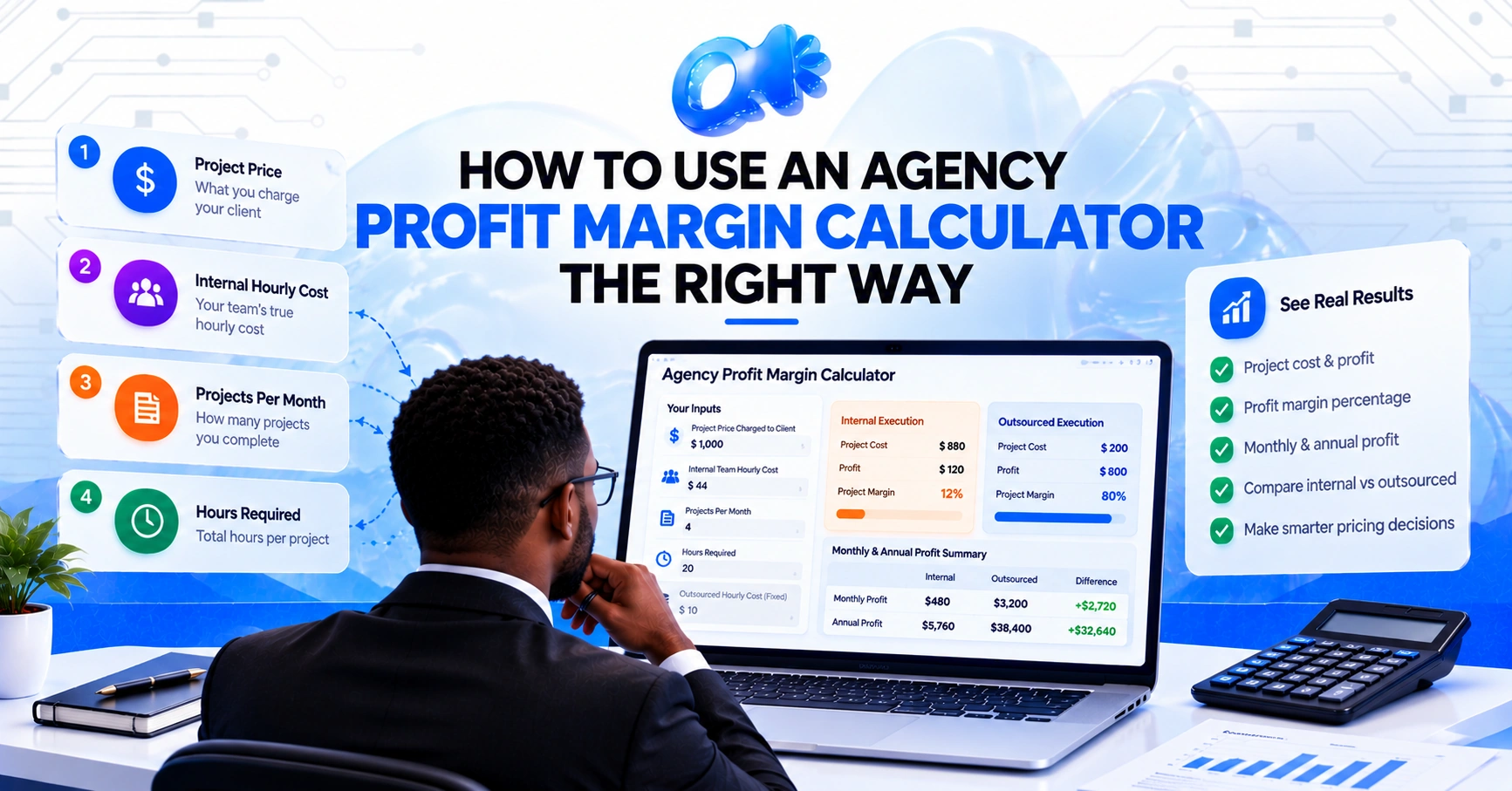
Our calculator asks for five values. Here’s each one, with the traps.
Input 1: Project Price Charged to Client
What to enter: The amount the client actually paid for the project, or one month’s fee for a retainer.
Common mistakes:
- Enter your rate card price when you give a discount.
- Including pass-through costs, such as ad spend or stock images, as if they were your revenue.
- Using a project that was unusually large or small.
Tip: If a project had extras that you billed separately, add them in. If you gave away extras for free, don’t.
Input 2: Internal Team Hourly Cost
What to enter: The true cost to you of one productive hour of your team’s time.
This is the input that causes the most damage when it’s wrong, so let’s slow down.
A simple way to calculate it:
- Add up the annual cost of the person: salary plus employer taxes, benefits, software licences and equipment.
- Estimate the number of genuinely productive hours in a year. A full-time person has about 2,080 paid hours, but holidays, sick days, meetings, admin and training mean far fewer are billable.
- Divide cost by productive hours.
For example: $55,000 salary plus around 25% overhead is about $68,750. If 1,560 hours are productive, the cost is roughly $44 an hour. If you’d divided the salary alone by 2,080 paid hours, you’d have got about $26, which understates the real cost by nearly 40%.
Common mistakes:
- Using salary only.
- Dividing by paid hours instead of productive hours.
- Using the lowest-paid team member’s rate when a senior person actually does the work.
- Leaving out your own time entirely.
Tip: If several people work on a project, use a blended average weighted by how many hours each contributes.
Input 3: Projects Per Month
What to enter: The number of projects of this type you complete in a typical month.
Common mistakes:
- Using your best month rather than your average.
- Counting projects that overlap across months twice.
Tip: For retainers, enter the number of active retainer clients. For one-off projects, use an average over the last three to six months.
Input 4: Hours Required
What to enter: Total hours from start to finish, including everything.
Common mistakes:
- Counting only production time.
- Forgetting revisions, client calls, emails, project management, reporting and internal reviews.
- Using the hours you planned rather than the hours it took.
Tip: Most agencies undercount by 20% to 40%. If you don’t have time records, add a margin for the hidden work. It’s better to be slightly pessimistic.
Input 5: Outsourced Hourly Cost
What to enter: Nothing. In our tool, it’s fixed at $10 an hour, which is our rate. If you’re comparing against a different provider, work through the same formula by hand using their rate.
Reading the Results
Once the fields are filled, the calculator shows three groups of figures.
Internal execution
- Project cost: hours × your hourly cost.
- Profit: price minus cost.
- Project margin: profit as a percentage of price.
Outsourced execution
The same three figures, using the $10 rate.
Monthly and annual summary
- Monthly internal profit: per-project profit × projects per month.
- Monthly outsourced profit: the same, for outsourced delivery.
- Additional monthly profit: the difference.
- Additional annual profit: the monthly difference × 12.
Let’s practice with an example. These figures are illustrative.
Inputs:
- Price: $1,800
- Internal hourly cost: $40
- Projects per month: 5
- Hours required: 30
Results:
- Internal cost: 30 × $40 = $1,200. Profit: $600. Margin: 33.3%.
- Outsourced cost: 30 × $10 = $300. Profit: $1,500. Margin: 83.3%.
- Monthly internal profit: $3,000.
- Monthly outsourced profit: $7,500.
- Additional monthly profit: $4,500.
- Additional annual profit: $54,000.
A tool like this gives you the headline. Your job is to question it.
How to Stress-Test the Result
A single run of an agency profit margin calculator is a snapshot. A good analyst runs it several ways. Try these four tests.
Test 1: Add your own review time
The outsourced column doesn’t include the time you spend briefing and reviewing. Add it back.
In the example above, suppose you spend four hours per project at $40 an hour on briefing and review. That’s $160 more per project, so outsourced cost becomes $460, profit $1,340 and margin 74.4%. Still a big improvement over 33.3%, but meaningfully different from 83.3%.
The easiest way to do this in the tool is to calculate the outsourced result by hand with the extra cost included, or to add review hours into “Hours Required” and compare.
Test 2: Raise the hours by 25%
Projects overrun. Increase the hours by a quarter and see what happens to both columns. A service whose margin collapses with a small overrun is fragile. A service that stays healthy is robust.
In our example, 37.5 hours internally would cost $1,500 and leave only $300 profit, a 16.7% margin. Outsourced, the cost would be $375 and profit $1,425, a margin of 79.2%. The internal side is much more sensitive to overruns because each hour costs more.
Test 3: Use a pessimistic hourly cost, then an optimistic one
If you’re unsure of your internal hourly cost, run both a low and a high estimate. If the conclusion is the same in both cases, you can trust the direction even if you can’t trust the exact figure.
Test 4: Cut the price
Clients push back. Reduce the price by 10% and see what remains. A project that only works at full price is risky.
A Second Worked Example: A Monthly Retainer
Retainers behave differently from projects, so it’s worth running one through the tool as well. These figures are illustrative.
Inputs:
- Price: $1,200 a month
- Internal hourly cost: $38
- Projects per month: 6 (six retainer clients on the same package)
- Hours required: 20
Results:
- Internal cost per client: 20 × $38 = $760. Profit: $440. Margin: 36.7%.
- Outsourced cost per client: 20 × $10 = $200. Profit: $1,000. Margin: 83.3%.
- Monthly internal profit: $2,640.
- Monthly outsourced profit: $6,000.
- Additional monthly profit: $3,360.
- Additional annual profit: $40,320.
Now apply the stress tests. Add three review hours per client at $38, which is $114, and the outsourced margin falls to about 73.8%. Push hours up to 25 because clients keep asking for extras, and the internal margin drops to 20.8% while the outsourced margin stays near 79%. That pattern, a retainer that looks fine at 20 hours and fragile at 25, is exactly what a single run of the tool won’t show you. Running it twice will.
What the Calculator Can’t Tell You
Be honest about the tool’s limits.
It measures gross margin, not net. It doesn’t include rent, admin, marketing, your own salary or taxes.
It assumes the work gets done to standard. If outsourced work needs heavy correction, the real cost is higher.
It doesn’t know about your capacity. Saving 150 hours of internal time creates profit only if those hours are redeployed or your cost base falls.
It treats all hours as equal. A senior strategist’s hour isn’t the same as a junior designer’s. Blend carefully.
It can’t predict client behavior. Scope creep, slow approvals and changing priorities all happen.
None of that makes the tool useless. It means the result is an input to your judgment, not a substitute for it.
Five Common Misreadings of the Results
“Outsourcing will give me the full difference every month.”
Only if you redeploy the freed capacity profitably, and only after review time. Treat the annual figure as an upper bound.
“A margin over 80% means I’m rich.”
Gross margin ignores overheads. A high project margin with high overhead can still produce a thin net profit.
“Higher margin means better service.”
Not necessarily. A project at 85% margin that regularly disappoints the client is worse than one at 70% that earns referrals.
“One project tells me everything.”
Run the tool for several services. Retainers, websites and ad management often have very different economics.
“If the internal margin is bad, outsourcing will fix it.”
Sometimes it will, and sometimes the real problem is pricing or scope. If you’re underpriced, a cheaper delivery cost helps but doesn’t solve it.
Which Services to Test First
If you offer multiple services, run the calculator for each, then compare.
- SEO retainers: often steady, repeatable and sensitive to scope creep. See White Label SEO + GBP.
- Website builds: project-based, with clear hours. See Website Design & Development.
- Social media: high volume, deadline-driven. See Social Media Management.
- Paid ads: ongoing optimization and creative. See Paid Advertising – Google & Meta.
You might discover that one service is carrying the agency while another quietly loses money.
What to Do After You’ve Run the Numbers
Results are only useful if they change something. Here’s a decision guide.
If the gap between internal and outsourced margin is large
Run a test. Pick one repeatable task and send it to a partner as a trial. Compare quality, cost and the hours you spent managing it. We built our 8-hour free trial for exactly this.
If the gap is small
Look at other levers: raising prices, tightening scope, reducing hours per project with templates and systems. See Stop Doing More: Why Smart Agencies Build Systems Instead.
If the internal margin is poor on a service
Check pricing and scope first. Then consider whether the service is worth offering at all, or whether it should be outsourced.
If you’re weighing a hire
Compare the cost per productive hour of an employee with outsourced hours. Our guide White Label vs. In-House Marketing Team walks through the decision.
If everything looks healthy
Run the numbers again in three months. Costs, hours and prices change.
A Simple Routine for Using the Calculator Well
Make it a habit instead of a one-off.
- Monthly: Run it for one recently completed project and compare with your estimate.
- Quarterly: Re-check your hourly cost and average hours per service.
- Before quoting: Run the numbers for any new, large or unusual project.
- Before hiring: Run it for the workload the hire would take on.
- Annually: Review your pricing in light of actual margins.
Over a year, this routine makes your estimates sharper and your pricing more confident.
Using Our Calculator With Our Pricing in Mind
Since the outsourced column uses our rate, it helps to know what’s behind it.
- $10 an hour. The same on every block.
- Starter: $200 for 20 hours.
- Growth: $400 for 40 hours.
- Scale: $800 for 80 hours.
- Hours don’t expire. If you buy 40 and use 25, the other 15 are waiting.
- Hours work across services. SEO, web, social, ads, design or automation.
- Shared task tracker. You can see exactly what each hour went to.
We say plainly that outsourcing doesn’t remove your workload. You still brief and review. What it changes is the cost and flexibility of production. For a comparison with higher-priced agencies, see $10/Hour Outsourcing vs. $50+/Hour Agencies.
Frequently Asked Questions
What is an agency profit margin calculator?
It’s a tool that takes your project price, hours and hourly cost and calculates profit and margin. Ours compares internal delivery with outsourced delivery at $10 an hour.
What numbers do I need to use?
Project price, internal hourly cost, projects per month and hours required. The outsourced rate is fixed.
How do I work out my internal hourly cost?
Add salary, employer costs, software and equipment, then divide by genuinely productive hours rather than paid hours.
Should I include my own time?
Yes. Your review and management time is a real cost, especially for outsourced work.
Why is my margin different from what I expected?
Usually because hours were undercounted, hourly cost left out overhead or the price included pass-through costs. Check each input.
How often should I use it?
Monthly for a recent project, quarterly to refresh your inputs and before any quote, hire or pricing change.
Is the annual figure guaranteed?
No. It’s a projection that assumes your inputs hold and the freed capacity is used productively.
An agency profit margin calculator is a good servant and a poor master. Used honestly, with real hours, a true hourly cost and your own review time included, it turns a vague sense of profitability into a number you can act on. Used carelessly, it produces confident nonsense.
Run it on a real project. Stress-test the result. Then take the finding to the next step, whether that’s adjusting your prices, tightening your scope or testing a partner on a small piece of work.
Try the Calculator Now
It’s free, there’s no sign-up, and it takes about two minutes.
Try the agency calculator and see how your internal margin compares with outsourced delivery. When you’re ready to test the outsourced side on real work, start your 8-hour free trial.
You can also read our FAQs or browse our services.