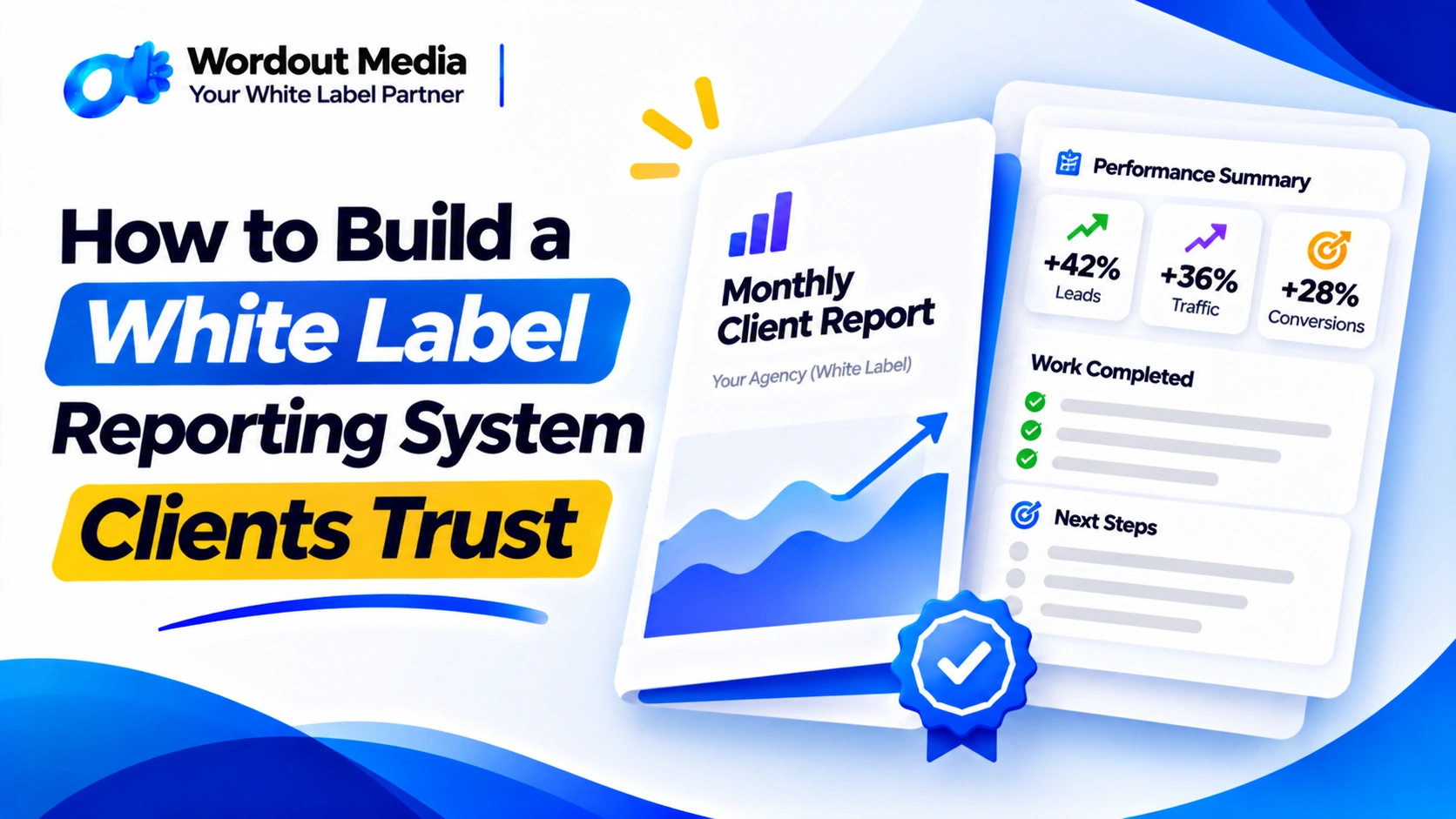
Most agency owners have sent one. It was thirty pages long, full of charts, impressions and graphs that went up and to the right. The client opened it, scrolled for ten seconds and closed it. Three months later they cancelled, saying they “weren’t sure what they were paying for.”
The agency had done good work. The problem wasn’t the work, it was the story around it. The report showed activity and numbers but never answered the three questions every client is quietly asking: Is this working? What did you do? What happens next?
If you use a white label partner, reporting gets harder in one way and easier in another. Harder, because the work is done by someone else and you need to understand and present it as your own. Easier, because a partner can do much of the data gathering and drafting, leaving you to focus on the message.
This guide shows you how to build white label client reporting that clients actually read and trust: the principles, the structure, a template you can copy, the tools, the branding checks and the mistakes to avoid. We’ll also say plainly what a partner can contribute and what you should always write yourself.
What Is White Label Client Reporting?
White label client reporting means producing reports for your clients that carry your agency’s branding, even when some or all of the underlying work and data preparation was done by a partner. The client sees your logo, your format and your voice. The partner stays invisible.
It covers things like monthly SEO reports, paid ads performance summaries, social media recaps, website maintenance logs and project status updates. The related concept of white labeling is explained in Wikipedia’s overview of white-label products: something made by one company and rebranded by another.
A word on honesty: branding a partner’s data preparation as yours is normal. What matters is that the information is accurate, the interpretation is fair and you stand behind it. If you’d like more on the discretion-versus-deception line, see How to Keep White Label Work Invisible to Your Clients.
Why Reporting Decides Whether Clients Stay
Clients rarely cancel because of one bad month. They cancel when they can’t see value. Good reporting does four jobs.
It proves the work happened. Clients can’t see most of what agencies do. A report makes it visible.
It connects work to goals. “We fixed 14 crawl issues” matters more when it’s linked to “so more of your service pages can be found.”
It builds trust through honesty. When you explain a dip or a slow month plainly, clients believe your good news more.
It protects you. A clear record of what was done and what was agreed prevents arguments later.
The Seven Principles of Reports Clients Trust
1. Start with what the client cares about
A restaurant owner wants bookings. A dentist wants new patient enquiries. An e-commerce brand wants sales. Rankings and impressions matter only to the extent they lead there. Ask each client in plain words: “What would make you feel this month was a success?” Then build the report around the answer.
2. Lead with a summary
Put a short plain-English summary on page one. Three to five sentences: how things went, the main reason, and what’s next. Many clients read only this, so make it count.
3. Fewer metrics, better chosen
A report with fifty numbers is a report with no message. Choose five to eight key metrics and explain them. Group them in tiers:
- Outcomes: calls, form fills, bookings, sales, revenue
- Visibility: traffic, search impressions, clicks, map views
- Activity: tasks completed, pages published, fixes made
4. Show trends, not just snapshots
A single month’s number means little. Show change over time, such as the last three to six months, and note seasonality or one-off events.
5. Be honest about what hasn’t moved
If something is flat, say so, say why you think it is, and say what you’re doing about it. Honest explanation builds more trust than a rosy chart. Never imply outcomes you can’t support.
6. Explain jargon or avoid it
“Crawl budget” and “CPC” may mean nothing to the reader. Use plain words or add a one-line explanation.
7. Keep it consistent and predictable
Same format, same date each month. Consistency makes reports easy to compare and makes you look organized.
A Monthly Report Template You Can Copy
Here’s a structure that works for most monthly marketing reports. Adjust the sections for each service.
Page 1: Summary
- Headline: how the month went in one sentence
- Three key results
- One thing that needs the client’s attention (approvals, content, access)
Page 2: Results that matter
- 5 to 8 key metrics with change vs. last month and last quarter
- A short note explaining each notable change
Page 3: Work completed
- Bullet list of what was done this month, grouped by area
- Link each item to its purpose (“Improved page titles on service pages to match how customers search”)
Page 4: What we learned
- What worked, what didn’t, what surprised us
- Any risks or issues
Page 5: Next month
- Planned actions and priorities
- Anything you need from the client
- Upcoming dates or milestones
Appendix (optional)
- Detailed data tables for those who want them
For SEO clients specifically, useful sections include organic traffic and enquiries, search performance for priority pages, Google Business Profile insights (calls, direction requests, website clicks), technical fixes completed and content published. Our guide to Google Business Profile optimization lists the profile metrics worth tracking.
What to Report by Service
| Service | Outcomes to lead with | Supporting metrics | Work to list |
|---|---|---|---|
| SEO + local | Enquiries, calls, direction requests | Organic clicks, impressions, priority page performance | Fixes, pages updated, content published, profile updates |
| Paid ads | Leads or sales, cost per lead | Spend, clicks, click-through rate | Tests run, budget changes, creative refreshed |
| Social media | Messages, leads, site visits from social | Reach, engagement, follower growth | Posts published, campaigns, community responses |
| Websites | Form submissions, bookings | Speed, uptime, page views | Updates, fixes, new pages |
| Automation | Leads followed up, bookings made | Open rates, replies, pipeline movement | Workflows built or changed |
How to Handle Bad Months
Every agency has them. A good approach has four parts.
- Say it early, in the summary, not on page seven.
- Give the likely reasons, honestly. Seasonality, a competitor, a site change, a platform update.
- Show what you’re doing about it.
- Avoid blame and drama. Stay factual and calm.
If a result is beyond anyone’s control, say so without making excuses. No partner or agency controls Google’s results, so never promise specific rankings. Google’s own Search Console data guidance even notes that, to protect user privacy, Search Analytics doesn’t show all data, so some figures are incomplete by design. Mentioning that kind of limit shows clients you understand your data.
Tools for Building the System
You don’t need expensive software. A sensible stack has four layers.
1. Data sources. Analytics, Search Console, Google Business Profile, ad platforms, your CRM and social platforms.
2. A reporting layer. Dashboards or templates that pull the data together. Google’s Looker Studio, for example, can connect to Search Console and combine it with other sources such as Google Analytics and Google Ads, though the Search Console connector has limits, such as separate site-level and URL-level tables. Many agencies also use spreadsheets or presentation templates.
3. Your branded template. Your logo, colors, fonts and layout, in a format you control.
4. A delivery habit. A fixed schedule and a standard email.
For a broader look at platforms, see Best Tools & Platforms for Managing White Label Client Work.
What to automate and what to write yourself
Automate: pulling the numbers, building charts, formatting tables and sending reminders. Automation tools can handle data gathering well. Our Automations + AI Workflows service builds these kinds of workflows.
Write yourself: the summary, the explanation of what changed and why, the recommendations and anything sensitive. The commentary is where you earn the trust. If AI helps with drafting, review every line.
How a White Label Partner Fits In
A good partner can contribute to reporting in several ways, while you stay in charge of the message.
What a partner can do:
- Prepare data pulls and draft the “work completed” section from the task tracker
- Build report templates in your branding
- Set up dashboards and automated data feeds
- Produce reports that carry your logo, ready for you to review
What you should always do:
- Write or approve the summary
- Check the numbers
- Add context only you know about the client
- Deliver it and handle the conversation
At Wordout Media, reports and deliverables carry your logo, and a shared task tracker records each task, who did it, how long it took and what was delivered, updated as work happens. That makes the “work completed” section far easier to write accurately.
The Branding Checklist for Reports
Before any report leaves, check these. (The longer list is in our invisibility checklist.)
- ☐ Your logo, colors and fonts throughout
- ☐ No partner name in headers, footers, charts or watermarks
- ☐ File name follows your convention
- ☐ File properties (author and company) are yours or blank
- ☐ Links open to your own pages or the client’s, not partner tools
- ☐ Dashboard URLs and workspace names don’t show a partner’s name
- ☐ Screenshots don’t include partner accounts or user lists
- ☐ Your contact details only
A Worked Example (Fictional)
To show how this comes together, here’s the summary page for an invented client, “Maple Street Physio.”
March at a glance. Enquiries from the website rose from 31 to 38 this month, and calls from your Google Business Profile were steady at 44. Most of the increase came from two service pages we updated in February. Rankings for “sports physio” held steady, while “back pain treatment” slipped slightly, which looks seasonal. Next month: we’ll expand the sports injuries page and add three new patient reviews to the profile. We need from you: photos of the new treatment room.
That’s under 100 words. It answers the three questions (Is it working? What did you do? What’s next?) and asks for one thing. Everything else can sit behind it.
Common Reporting Mistakes
Reports too long. Length isn’t value.
Vanity metrics first. Impressions without outcomes.
No commentary. Numbers without explanation leave clients guessing.
Hiding bad news. It always comes out, and later is worse.
Inconsistent format. Makes comparison hard.
Over-promising. Implying causation you can’t prove.
Technical jargon. Alienates non-experts.
Leaking the partner. File properties, shared links or tool logos.
Delivering late. Predictability builds trust.
Never asking for feedback. Ask once a quarter what the client wants to see.
How to Set the System Up in a Weekend
If you’re starting from scratch, here’s a sensible path.
- List your clients and their goals (one line each).
- Choose your key metrics per service using the table above.
- Build one template in your branding.
- Connect your data sources to a dashboard or spreadsheet.
- Write a sample report for one friendly client.
- Ask for feedback.
- Document the process so anyone can run it.
- Set a monthly calendar reminder.
Systems like this are exactly what we talk about in Stop Doing More: Why Smart Agencies Build Systems Instead.
Where We Might Not Be the Right Fit
- If you want a partner to write all client commentary for you with no input from your side. We can draft, but the voice and judgment should be yours.
- If your clients need highly specialised or regulated reporting, such as formal compliance or financial reporting.
- If you want a fixed, off-the-shelf reporting subscription. We’re an hours-based execution partner.
Frequently Asked Questions
What is white label client reporting?
It’s producing client reports under your agency’s branding, even when a partner helped prepare the data or the draft.
What should a client report include?
A plain-English summary, five to eight key metrics, work completed, what was learned and what’s planned next.
How often should I send reports?
Monthly is common, on a consistent date. Some clients may also want brief weekly updates for ads or active projects.
How long should a report be?
As short as it can be while answering whether it’s working, what was done and what’s next. Many strong reports run a few pages, with detail in an appendix.
What if results are bad?
Say so early, explain likely causes honestly and show what you’re doing. Don’t hide it.
Can a partner write my reports?
A partner can prepare data and drafts under your branding, but you should review everything and own the summary and recommendations.
Which tools should I use?
Whatever your clients can read and you can maintain. Dashboards such as Looker Studio, spreadsheets and presentation templates all work. See our tools guide.
How do I stop partner branding from showing up?
Use your own templates and naming, check file properties and make sure shared links and dashboards don’t show partner names.
White label client reporting isn’t a design contest. It’s a trust-building routine. Clients stay when they understand what they’re getting, believe what you tell them and know what comes next. A one-page summary, a handful of meaningful numbers, an honest account of what happened and a clear plan will beat a polished forty-page deck every time.
Build the system once, automate the data, keep the commentary human and put your own name on the whole thing, because it’s your reputation on the page.
See a Sample Branded Wordout Media Report
Want to see how branded reporting looks in practice?
See a sample branded Wordout Media report: ask us for an example and we’ll show you how reports and deliverables carry your logo. Or claim your 8-hour free trial and see a real branded deliverable for your own client. No contract, no card, no sales call required first . You can also read our FAQs or browse all services.