Here’s a story that happens in agencies all the time (this version is hypothetical, but you’ll recognise it).
A local business fills out a contact form on a Friday afternoon. The form emails someone at the agency who manages that client’s website. That person is out until Monday. On Monday, they see the email, forward it to the client, and the client calls the lead on Tuesday. By then the lead has already spoken to two competitors. Nobody did anything wrong, exactly. The process just depended on people noticing things at the right time.
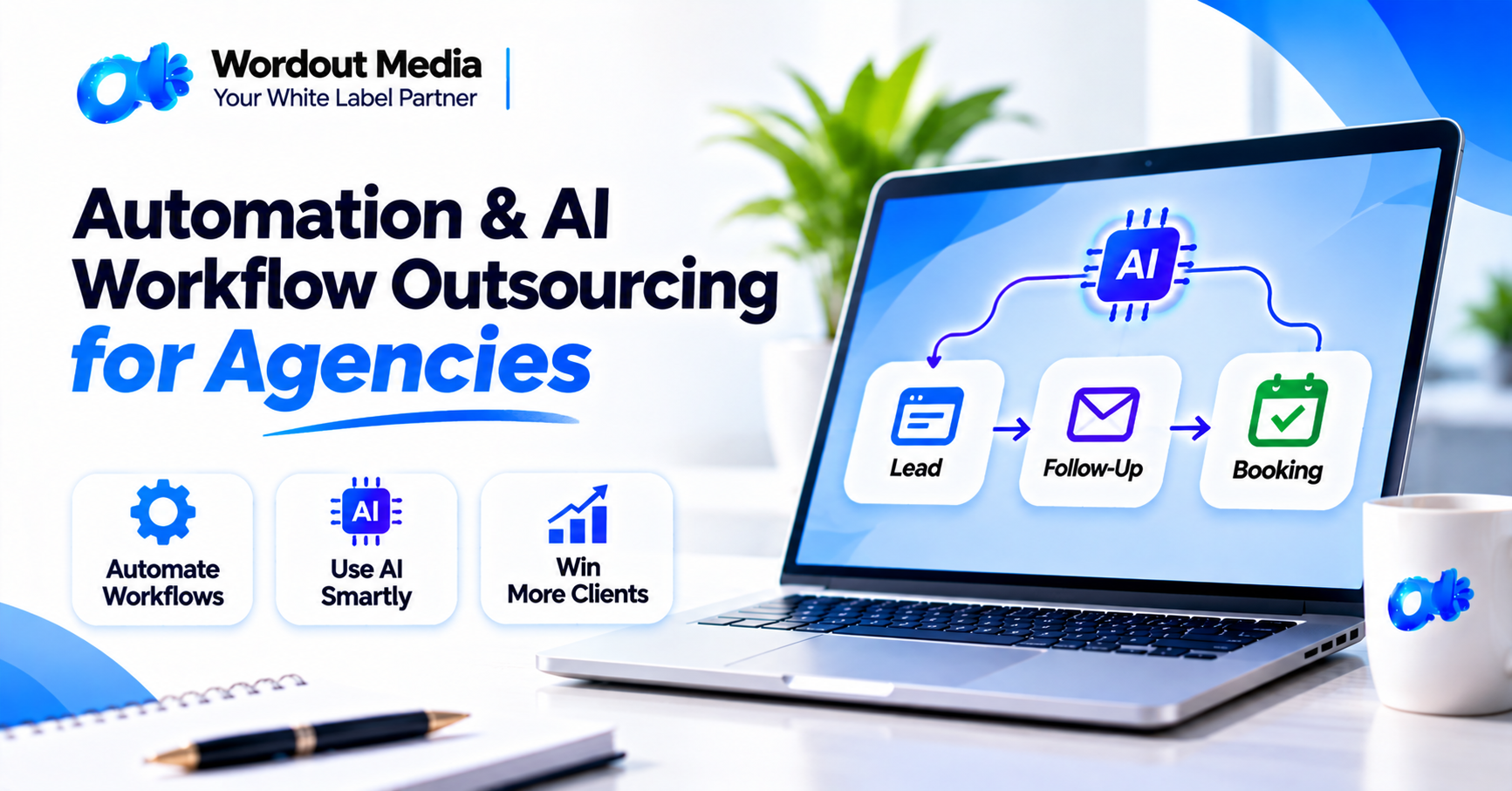
Now imagine the same form triggering an instant text and email that thank the lead, offer a booking link and add them to the client’s pipeline, with a reminder to the client if nobody follows up within a day. That’s the difference automation makes. It doesn’t replace human conversation. It makes sure the conversation actually happens.
This guide explains AI workflow outsourcing for agencies: what it is, what kinds of work it covers, how it works with a partner, what it costs, where it goes wrong and how to start. If the term is new to you, that’s normal. It’s one of the newest service lines for agencies, and the vocabulary is still settling.
We’re Wordout Media, and Automations + AI Workflows is one of the six services we deliver, so we’ll describe what we actually offer and be clear about what we don’t claim.
What is AI workflow outsourcing for agencies?
What is AI workflow outsourcing for agencies? It is hiring an outside partner to design, build and maintain automated workflows (such as CRM setup, email sequences, lead follow-up and pipeline automation) that run for your agency or your clients, often under your brand. The partner builds the system; you decide what it should achieve and review how it behaves.
Key takeaways
- Automation is best for tasks that are repetitive, frequent and rule-based.
- “AI workflow” usually means automation with some AI-assisted steps, not a robot running your agency.
- Outsourcing lets agencies sell automation without hiring technical staff.
- Every automation needs testing, monitoring and a human who checks the results.
- Start with one small workflow, such as lead follow-up, before building anything complex.
What Is Marketing Automation?
Before the “AI” part, let’s start with the foundation. According to this article on marketing automation, marketing automation is software that helps marketing teams automate repetitive tasks and manage their work from one system. Typical functions include multi-channel interactions (such as email, SMS, chatbots and social media), tracking and web analytics, lead scoring, campaign management and reporting. It often connects with customer relationship management (CRM) software.
In plain terms: when X happens, do Y automatically. A form is submitted, a message is sent. A deal moves to a new stage, a task is created. A prospect doesn’t respond for three days, a reminder goes out.
What Does “AI Workflow” Mean?
“AI workflow” is a flexible term, so let’s pin it down for this guide.
An AI workflow is an automated sequence of steps in which some steps may use AI to help, for example drafting a reply, summarizing a conversation, classifying a lead or pulling information from text. The sequence itself is still designed by people, and the rules about what happens when are explicit.
It’s helpful to separate three levels:
- Rule-based automation. If this, then that. Predictable and easy to audit.
- AI-assisted automation. The same structure, with AI handling certain steps such as drafting or sorting.
- Autonomous agents. Systems that decide their own next steps. These need much more caution and oversight, and most agency use today sits in levels 1 and 2.
For agencies, the value is rarely in dramatic AI. It’s in dependable, boring automation that stops leads slipping through the cracks.
What Can Be Automated in an Agency?
Here’s where automation tends to pay off, for your own agency and for your clients.
For your clients
- Lead capture and instant response. Forms trigger confirmations and notifications.
- Email nurture sequences. Targeted messages that warm up leads over time.
- Pipeline management. Deals move through stages with automatic follow-ups.
- Appointment booking. Calendar sync, reminders and rescheduling.
- Review requests. After a job is done, customers get a prompt to leave a review.
- Sales funnels. From landing page to thank-you page, with tracking.
- Data movement. Information passes between tools through integrations.
For your agency
- Client onboarding. Welcome emails, intake forms and task creation.
- Reporting. Pulling data into consistent templates. See How to Build a White Label Reporting System Clients Trust.
- Task routing. New requests become tracked tasks automatically.
- Internal reminders and approvals.
- Invoicing nudges and renewals.
What We Build at Wordout Media
Our automation service for agencies covers eight areas:
- CRM setup and configuration in GoHighLevel, set up from scratch as a central place for leads, contacts and pipelines.
- Email automation sequences that nurture leads, re-engage contacts and move prospects through the funnel.
- Lead nurturing flows, multi-step flows that keep leads engaged over time.
- Sales funnel setup, end to end from landing page to thank-you page.
- AI-powered workflows that automate repetitive tasks.
- Pipeline automation for deal stages, follow-ups and movement.
- Appointment booking systems with calendar sync and reminders.
- Integrations and API connections that move data between a client’s tools.
The work is white labeled: you resell it as your own, and we build and manage it behind the scenes.
Why Agencies Outsource Automation
Automation is attractive to agencies, and also awkward to build in-house. Here’s why partners are common.
It needs specialist skills. Good automation combines CRM knowledge, copywriting, logic design and troubleshooting. That’s a lot for a small agency to hire for.
It’s project-shaped. Builds come in bursts: a big setup, then lighter maintenance. Hiring a full-time person for bursty work is hard to justify.
It’s a high-margin service. Clients value never losing a lead, and the work is billable as setup plus ongoing management.
It makes your other services stronger. Ads generate leads. Websites capture them. Automation follows up. Together they make a complete system. See how it pairs with Paid Advertising and Website Design & Development.
It’s new, and clients are asking. Many small businesses want it and don’t know where to start, so agencies that can offer it have an edge.
These are the same underlying reasons companies outsource in general: access to specialist skills, speed, flexibility and focus, as listed in the overview of outsourcing.
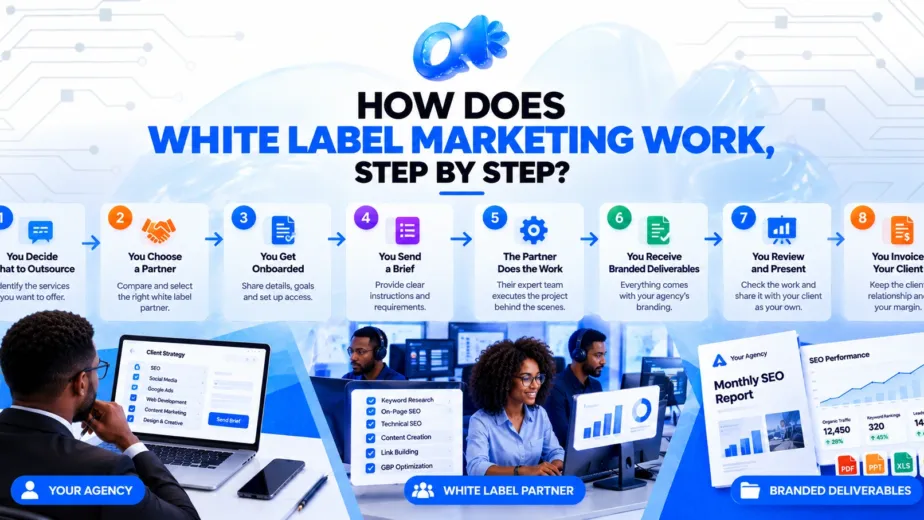
How AI Workflow Outsourcing Works, Step by Step
Here’s a typical path from idea to a working automation.
Step 1: Define the outcome
Start with the business result, not the technology. “Every new lead should get a reply within five minutes and a booking link” is a good goal. “We need AI” is not.
Step 2: Map the current process
Write down what happens today, step by step. Who sees the lead? Where does it go? What gets forgotten? Most automation problems are really process problems.
Step 3: Write the brief
Include:
- The goal and the trigger (what starts the workflow)
- The steps and any rules or conditions
- The tools involved and access needed
- Message copy or tone guidelines
- What should happen when something goes wrong
- How you’ll test it
Step 4: Build
Your partner configures the CRM, creates the sequences, connects the tools and sets up the logic. At Wordout Media, your dedicated account manager takes the brief and passes it to the right specialist on our in-house team of fifteen.
Step 5: Test properly
Test with fake leads, edge cases and real devices. Check that emails arrive, links work, timing is right and nothing sends twice. This step is where many automations succeed or fail.
Step 6: Launch carefully
Start with a small audience or a short window. Watch what happens.
Step 7: Monitor and improve
Automations drift. Forms change, tools update, offers expire. Review them regularly, ideally monthly, and track what they achieve.
What Does It Cost?
Pricing varies widely across providers, and we won’t pretend there’s a single market rate. Here’s how it works with us.
- Rate: $10 an hour.
- Blocks: Starter is $200 for 20 hours, Growth is $400 for 40 hours and Scale is $800 for 80 hours.
- Same rate on every block, and hours don’t expire.
- A shared task tracker shows where every hour went.
As illustrative planning estimates (not quotes), a simple automation workflow might take roughly 6 to 12 hours, so around $60 to $120. A full CRM setup with several pipelines, sequences and integrations takes more, and larger builds are scoped before work begins. Your account manager will give you an estimate after reading your brief.
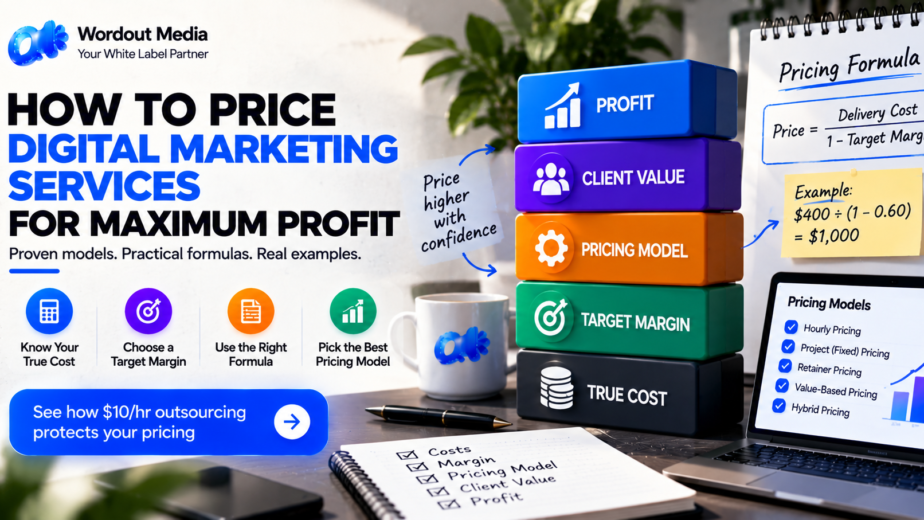
What it can do for your margin (illustrative)
Say you sell a client an automation setup for $900 and the build takes 16 hours. You spend 2 hours reviewing at $40.
- Build cost at $10 an hour: $160
- Your review time: $80
- Total cost: $240
- Profit: $660, a margin of about 73%
Hypothetical numbers, of course. Your hours and prices will differ, and ongoing management is a separate recurring service. You can test your own scenarios with the agency calculator.
The Risks (and How to Handle Them)
Automation can fail quietly, which is its biggest danger. Here’s what to watch for.
Messages that go wrong. A bad condition can send the wrong email to the wrong person, or the same email five times. Test thoroughly and start small.
Over-automation. Not every interaction should be automatic. Sensitive or complex conversations need a human.
AI outputs that are wrong or off-brand. If AI drafts messages or summaries, someone should review them, especially early on. Don’t let it make promises your client can’t keep.
Privacy and consent. Emails and texts to customers raise legal obligations that depend on location and industry, such as consent and unsubscribe requirements. Check the rules that apply to your clients, and ask a qualified professional. This isn’t legal advice.
Data security. CRMs hold personal information. Control who has access and use sensible permissions.
Tool dependence. If a workflow depends on a platform, a price change or outage affects you. Document what you’ve built.
Silent failures. An integration breaks and nobody notices for weeks. Set up alerts and check regularly.
Ownership. Make sure it’s clear who owns the accounts and the workflows. At Wordout Media, you own all deliverables once delivered, and we keep no rights.
What Good Automation Looks Like in Practice
It helps to know what “good” feels like, so you can judge a partner’s work.
It’s boringly reliable. The same trigger gives the same result every time, and nobody has to remember anything.
It’s documented. You can see what each workflow does, why it exists and what tools it touches, in plain language.
It fails loudly, not quietly. When something breaks, someone is alerted, instead of leads vanishing for weeks.
It sounds like the client. Messages match the brand’s voice, with no robotic phrasing or odd timing, like a text at 3 a.m.
It respects the customer. There’s an easy way to opt out, messages aren’t sent too often and the content is genuinely useful.
It’s measured. You can answer simple questions: how many leads came in, how many got a reply, how many booked. If a workflow can’t be measured, it’s hard to defend at renewal time.
When you review a partner’s build, test it yourself as a customer would. Fill in the form from your phone, read every message and click every link. Ten minutes of testing reveals more than any status report.
How to Start Small
If you’re new to automation, don’t begin with a massive project. A good first build is a new lead follow-up workflow:
- A form submission creates a contact in the CRM.
- The lead gets an instant confirmation email.
- A booking link is included.
- The client is notified.
- If the lead hasn’t booked in two days, a gentle reminder goes out.
- The pipeline stage updates automatically.
It’s small, valuable and easy to test. If it works, add a review request sequence, then a nurture series. You can try it using the 8-hour free trial, which has no contract, no card and no sales call required first.
Where AI Workflow Outsourcing May Not Fit
- If you want a fully hands-off result. You still need to define goals and review how the automation behaves.
- If your client’s industry has strict compliance requirements that need specialist legal input.
- If you expect AI to replace strategy. It automates execution, not judgment.
- If your processes are chaotic. Automating a mess creates a faster mess. Fix the process first.
- If you need very large, round-the-clock engineering capacity. A bigger provider may suit you better.
How It Fits With Your Other Services
Automation is strongest when it’s connected to the rest of your offering.
- SEO and local bring in searchers, and automation captures and follows up. See White Label SEO + GBP.
- Paid ads create leads, and automation stops them going cold.
- Websites hold the forms and booking pages.
- Social drives traffic and messages that can feed the same pipeline.
- Design makes the emails and funnel pages look right. See Creative Design + Figma.
That’s one of the reasons agencies like a partner that covers all six services from one balance of hours.
Frequently Asked Questions
What is AI workflow outsourcing for agencies?
It’s hiring a partner to design, build and maintain automated workflows for your agency or your clients, such as CRM setup, email sequences and lead follow-up, usually white labeled under your brand.
What is marketing automation outsourcing?
It’s the same idea focused on marketing: handing the setup and management of automated campaigns, funnels and CRM processes to an outside team.
What can be automated?
Lead capture and follow-up, email sequences, appointment booking, pipeline movement, review requests, reporting and data transfer between tools.
Do I need AI for automation to work?
No. Most valuable automation is rule-based. AI can help with drafting or sorting, but it isn’t required.
Which platform do you use?
Our CRM setup service uses GoHighLevel, and we also build integrations and API connections between tools.
How much does it cost?
$10 an hour in blocks of 20, 40 or 80 hours ($200, $400, $800). A simple workflow might take roughly 6 to 12 hours. Larger builds are scoped first.
Will my clients know I outsource it?
No. It’s 100% white labeled.
Who owns the workflows?
You do. You own all deliverables once delivered, and we keep no rights.
How do I start?
Pick one small workflow, write a brief and try it with our free 8-hour trial.
AI workflow outsourcing for agencies isn’t about replacing people. It’s about making sure the right thing happens at the right time without anyone having to remember. The leads get answered, the follow-ups go out and the pipeline stays tidy.
Start with one workflow, test it carefully, review it regularly and keep humans in charge of the judgment calls. Done that way, automation turns into a service clients value and a time-saver your own team feels immediately.
Explore Automations + AI Workflows
Curious what we could build for your agency or your clients?
Explore Automations + AI Workflows to see the full list, then claim your 8-hour free trial and send us one small workflow to build. No contract, no card. You can also read our FAQs or browse all services.